
The Hidden Cost of Doing Everything Manually
Imagine waking up to an inbox overflowing with new customer inquiries. Your heart sinks because you know exactly what comes next. You have to copy names from your email, paste them into a spreadsheet, and then manually type them into your email marketing tool.
This endless loop of copying and pasting makes your eyes heavy and your shoulders tense before your day even begins. It feels like you are trapped in a digital assembly line, doing tasks that a computer should handle for you.
This manual data entry drains your creative energy. Instead of growing your project or talking to clients, you spend your peak hours moving data between browser tabs. The constant fear of making a spelling mistake or missing an entry adds a silent layer of anxiety to your daily routine.
Many of us accept this struggle as the price of doing business online. But the truth is, this repetitive grind quietly chips away at your passion and mental focus, leaving you exhausted by noon. You don't need to learn complex programming to escape this exhausting cycle.
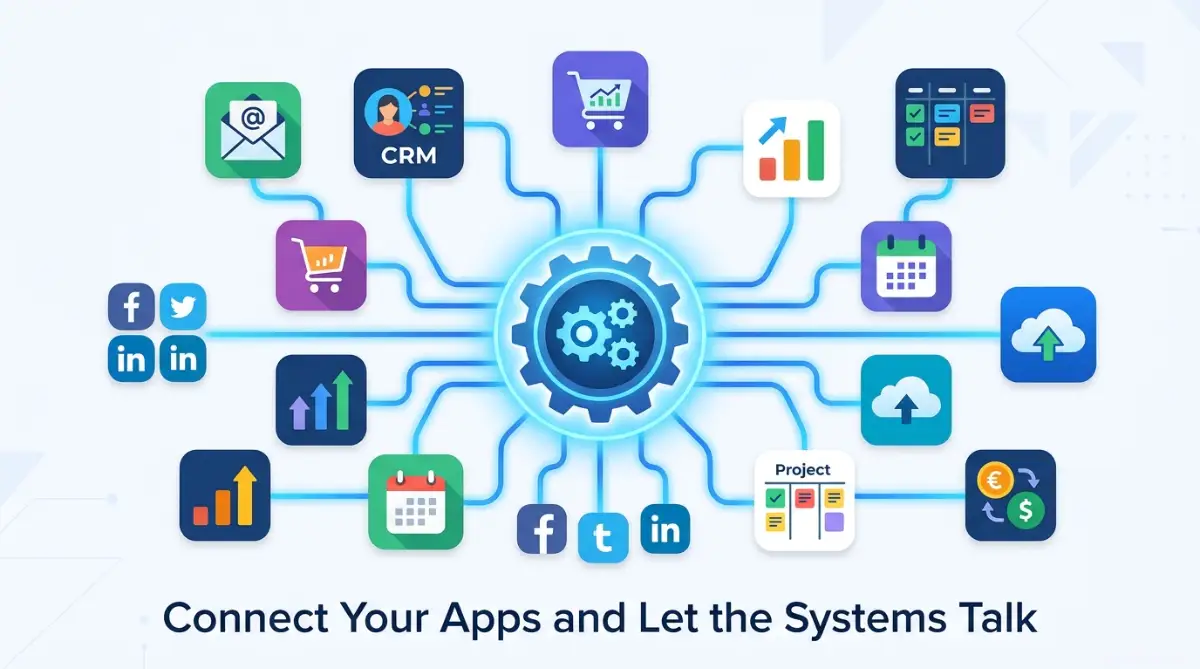
Simple Frameworks to Free Your Time
Spotting Your Repetitive Daily Loops
Before you can connect any software, you must understand where your time actually goes. Most people try to automate everything at once and get overwhelmed. A better approach is to watch your own behavior for a single working day.
Look for tasks that you do more than three times a day. If you are moving information from Point A to Point B, that is a prime candidate for automation. Write down these steps on a piece of paper just like a recipe.
For example, when a new lead fills out a form on your website, what happens next? You probably get an email, copy the details, and write a welcome message. This is a clear, repeatable chain of events that a simple system can handle.
[Web Form Submission] ➔ [Spreadsheet Row Created] ➔ [Slack Alert to Team]
By mapping this flow, you clarify exactly what your tools need to do. You do not need a computer science degree to map these steps. You just need to observe your daily habits with a bit of curiosity.
Selecting Your Visual Integration Engine
Once you know what needs connecting, you need a tool to build the bridge. In the modern software world, we call these tools "no-code integration platforms." They act as translators between different software applications that do not normally speak to each other.
Two of the most popular platforms for this are Zapier and Make. These tools offer visual interfaces where you can link apps by dragging and dropping elements. You do not see a single line of code; instead, you see clear boxes and arrows.
Zapier is incredibly user-friendly and perfect for your very first automation project. Make offers more visual control and is great once you feel more comfortable with the basic concepts. Both platforms offer generous free plans that are perfect for learning the ropes.
Choosing one tool and sticking with it for a few weeks is the best way to build confidence. Do not jump from tool to tool trying to find a magical solution. Master the basics of one platform first, and the rest will feel much easier.
Understanding Triggers and Actions in Plain English
To build any automated workflow, you only need to understand two basic concepts: Triggers and Actions. Think of this as a simple "cause and effect" relationship. It is the foundation of every automated system on the internet.
A Trigger is the event that starts the workflow. It is the "If this happens" part of the equation. For instance, receiving a new email or getting a new payment notification are both common triggers.
An Action is what happens automatically after the trigger occurs. It is the "then do this" part of the equation. For example, creating a draft reply or saving an attachment to your cloud storage are actions.
By breaking your daily work down into these two simple blocks, automation becomes approachable. You can build incredibly helpful systems by simply linking one trigger to one or two actions.
Setting Up Your First Automated Connection
Let us walk through a simple, real-world example to show you how easy this is. We will connect a basic web form to a Google Sheet so your leads are saved automatically. This is a setup that saves thousands of manual typing hours for businesses every day.
First, log into your chosen integration platform and click on the option to create a new workflow. The platform will ask you to choose your trigger app, which in this case will be your form builder. You will then select the specific event, such as "New Form Submission."
Second, you will need to link your form account by clicking a simple authorization button. The integration tool will pull in a test submission to make sure it can read the data fields properly. This step is completely visual and only takes a couple of clicks.
Third, you will choose Google Sheets as your action app and select "Create Spreadsheet Row" as the action event. You then map the fields from your form, like matching the "Email" field from your form to the "Email" column in your sheet. Once you click save and turn the workflow on, your automated system is live.
Myth vs Reality of Software Connections
There are many misconceptions about automation that keep beginners from taking the first step. Let us clear up some of the most common myths so you can move forward with confidence.
- Myth: You need to understand APIs and webhooks to connect apps.
- Reality: Modern platforms handle all the technical background work for you behind a clean, simple interface.
- Myth: Setting up automated workflows is too expensive for small projects.
- Reality: You can run multiple basic workflows completely free of charge using entry-level accounts.
- Myth: Automated systems are fragile and break constantly.
- Reality: Once a visual workflow is set up and tested correctly, it runs reliably in the background without needing daily attention.
Understanding these realities helps remove the fear of making mistakes. Automation is a skill that anyone can learn with a little bit of practice and patience.
[Your Manual Effort: 0%] ➔ [System Automated Run: 100%]
Safe Testing Methods for Beginners
One of the biggest fears beginners have is sending a test email to a real client by mistake. This fear can prevent you from building workflows that could save you hours of work. Fortunately, there are very safe ways to test your new creations.
Always use test accounts or dummy data when you are building your first few workflows. Create a fake contact in your system with your own personal email address to see how the system behaves. This lets you see the automated emails and messages exactly as a customer would.
Most platforms have a "Test Step" button that lets you run the workflow piece by piece. Use this feature to check each link in your chain before turning the entire system on. If something goes wrong, the platform will show you a simple error message explaining what to fix.
Once you see your test email land safely in your own personal inbox, you will feel a wave of relief. You can then confidently flip the switch to make your workflow active for the public. Testing is your safety net, so make sure to use it every single time.
Pro Tips for Keeping Your Workflows Organized
As you get more comfortable, you will likely create many different automated paths. It is easy to forget what each system does if you do not keep them organized from the very start.
- Use Clear Names: Instead of keeping the default name, name your workflow based on its function. For example, use "Form to Sheets: Website Inquiries."
- Group by Project: If your platform allows folders, group your connections by project or department to keep things clean.
- Document Your Flows: Keep a simple digital note explaining why you built each workflow and which apps are connected.
These simple habits will save you a lot of confusion when you need to update your systems months from now. Keeping things clean and organized is the mark of a smart, efficient builder.
Empathizing with the Learning Curve
It is completely normal to feel a bit confused when you first log into an integration platform. Do not expect to build a massive, multi-step system on your very first afternoon. Start with one simple, two-step connection and celebrate that small win.
Every time you automate a single task, you win back a few minutes of your life every single day. Over a month, those minutes add up to hours of free time that you can spend with family or on creative projects.
Be patient with yourself as you learn this new visual language. The comfort and mental peace you gain from an organized, automated business are well worth the initial effort. You are fully capable of taking control of your digital tools and making them work for you.
Taking Your Automated Systems to the Next Level
Once you feel comfortable with simple two-step connections, you can begin to build much smarter systems. You do not need to change your tools to achieve this. You only need to learn how to apply a few advanced concepts that modern integration platforms offer.
[Trigger Event] ➔ [Filter Step] ➔ [Action 1] ➔ [Action 2]
Building Multi-Step Bridges for Complex Tasks
Most beginners start by connecting one app to another. However, real business processes often require three or four steps to complete successfully. For example, when a client pays you, you might need to update your spreadsheet, send a Slack message, and email a PDF receipt all at once.
Modern no-code tools allow you to add multiple actions to a single trigger. You can set up a chain reaction where one trigger kicks off a series of tasks. This saves you from creating separate connections for the same starting event.
By keeping your multi-step flows in one place, you make your systems much easier to manage. If something goes wrong, you only have to look at one dashboard to find the issue. It keeps your digital environment clean and simple.
Using Smart Filters to Direct Your Data Stream
You do not always want every single trigger to start your workflow. Sometimes you only want your system to run when specific conditions are met. This is where filters become extremely helpful.
A filter acts like a security guard for your automated workflows. It inspects the data from your trigger before letting the next step run. For instance, you can set a filter to only send an email if a customer's inquiry contains the word "urgent."
If the incoming data does not match your specific rules, the workflow stops immediately. This simple logic prevents your system from running unnecessary tasks. It also helps you stay within the free limits of your integration account.
To make sure your data flows smoothly, it helps to understand how these platforms speak to each other under the hood. You can learn about how systems communicate by reading this explanation of application programming interfaces. This knowledge helps you understand how web systems share data safely.
Handling System Errors Without Panic
Even the best automated systems will experience a hiccup from time to time. A password might change, or an external app might go offline for a few minutes. When this happens, your workflow might pause or show an error.
Most advanced platforms have built-in notification systems that email you the second a run fails. They also offer manual replay options. This means you can fix the problem and re-run the failed step with a single click.
If you experience an automated error, treat it as a routine checkup. It is similar to experiencing a sudden billing error.

Hidden Hurdles That Can Break Your Cloud Connections
Automating your daily tasks can feel like having a superpower. However, it is very easy to fall into traps that can cause your systems to crash. Understanding these risks will help you build systems that last.
The Pitfall of Automating Broken Habits
The biggest mistake beginners make is automating a process that is already messy. If your manual way of keeping track of clients is unorganized, your automated system will simply make that mess bigger and faster. Automation only works well when the underlying steps are clean and logical.
Take the time to clean up your folders and spreadsheets before you connect them to any tool. If you have too many messy systems running at once, your workday will become chaotic.
If you are struggling to clean up a cluttered software environment, think of it like organizing your finances. Once your basic steps are organized, your automated flows will run smoothly.
Ignoring System Limitations and Rate Limits
Every software application has limits on how fast it can receive and send data. These limits are set to prevent servers from crashing under too much stress. If your automated systems send thousands of requests in a few seconds, the receiver app might block you.
Most free plans on integration tools have monthly run limits. If you reach your limit on the tenth day of the month, your automation will pause until the next billing cycle. This can leave you stranded if you rely on those systems for daily tasks.
Always check the limits of your software tools before building large systems. It is best to start small and monitor your usage during the first few weeks. This practice helps you avoid sudden shutdowns that can disrupt your work.
[System Trigger Event] ➔ [Limit Check] ➔ [Safe Run Execution]
Skipping Your System Backups
Many people assume that because their software is in the cloud, their data is safe forever. This assumption can lead to a major loss of information if a sync goes wrong. If a workflow is set up incorrectly, it can overwrite correct data with empty fields in a second.
Always keep an independent backup of your core databases. You can set up a weekly task to export your client lists to a secure local file. This simple backup habit ensures that you never lose your most important assets.
To learn more about how to structure and store data securely on the web, you can read the official guide on web data standards. Having a secure structure keeps your information readable and safe from accidental damage.
Your Clear Roadmap for Automated Success
Taking your first steps into automation can feel intimidating, but you do not have to do it alone. By starting with small, manageable steps, you can slowly build a system that works for you.
Your 24-Hour Action Plan
To help you get started right away, here is a simple checklist you can follow tomorrow. You do not need to spend days planning. Just focus on these three simple steps to build your momentum:
- Step 1: Write down the three most boring tasks you do on your computer every single day.
- Step 2: Choose just one of those tasks that involves moving data from one app to another.
- Step 3: Open a free account on a visual integration tool and try to connect those two specific apps.
By focusing on one small task, you remove the pressure of having to build a massive system. Once you see your first test run succeed, you will feel a sense of achievement. That small win will give you the energy to tackle bigger projects.
When you are testing your workflows, make sure to verify all your steps carefully. This attention to detail is just as important as double-checking your paperwork.
A Final Word of Encouragement
Remember that automation is a journey, not a race. You do not need to have a fully automated business by next week. Every single manual step you remove from your plate is a victory for your mental peace.
The hours you reclaim from boring, repetitive tasks can be spent on things that truly matter. You can use that extra time to learn new skills, grow your project, or simply rest. Your time is your most valuable asset, and you deserve to protect it.
Take that first step tomorrow, test your systems safely, and watch how much easier your daily work becomes. You have all the tools you need to build a smarter, less stressful work life starting today.
Disclaimer
This article is for informational and educational purposes only. The software tools and platforms mentioned in this post are registered trademarks of their respective owners. We do not guarantee specific results from implementing these automation strategies, as individual outcomes depend on your specific business setups and software configurations. Always test your automated systems with test data before deploying them in a live business environment.